

Available on Adobe Exchange
The command commits your current active tool (Brush, Pencil, Pen, Arrow, FreeXfrom etc) and current play-head position to memory. Then it selects the TimeScrub Tool from the toolbar and allows you to scrub through your animation so far.
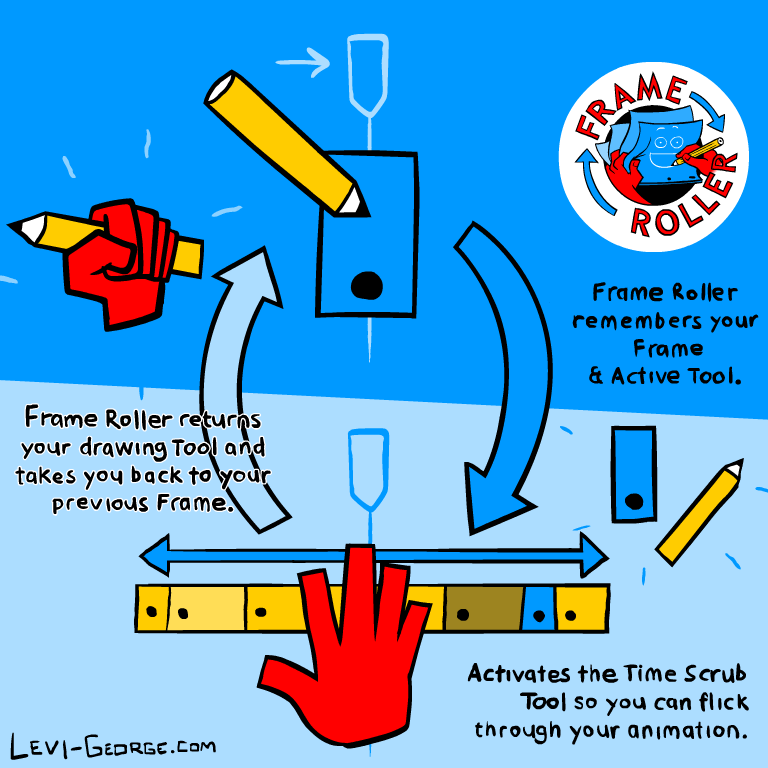
When you run the command again it puts you right back where you started! It takes you to the frame you were previously working on and activates the tool you were using. A very simple command designed to keep the animator’s head out of the Timeline and Toolbar and allow them to stay focused on animating.
Presenting: Frame Roller
FAQ
Many of the questions you may have are likely answered in the official documentation for this tool (including installation instructions). You can read it below.
But like… Doesn’t this literally save you like 10 seconds of clicking around on the timeline and toolbar?
Yes! My philosophy with making tools though is that it’s not just about the time it takes to access menus, it’s that every time you switch your focus re-entering the state of concentration you were previously in takes time that is hard to measure.
 Levi George Illustration